Daily reports
Construction daily reports your crew will actually send
Bana texts each tech a link at the start of the day. They report what got done in about 90 seconds, with photos and location attached. You get a clean, GPS-verified daily report as soon as it is submitted, without chasing anyone.
30 days free · no card required
How a daily report happens
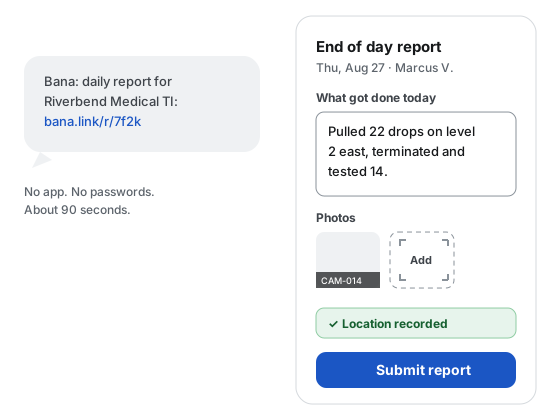
The day starts with a text
Scheduled crew get a link by text at the send time you set. There is no app to install and no password to remember, and the report works in English or Spanish.
Three fields is a full report
A summary, a photo, and location. That floor never grows, so reports keep coming in even on the worst days.
The office sees it right away
Reports land in Bana as they are submitted. Late or missing reports are flagged to you instead of silently lost.
For the office
What the office gets
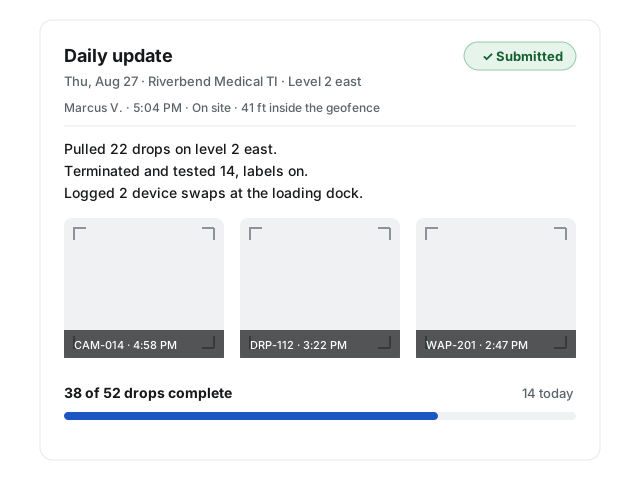
Each daily report arrives stamped with who sent it, when, and where. Photos are tied to the drops they document, so proof lands in the right place without any filing.
Late reports and off-site submissions are flagged for your eyes only. The point is a record you can stand behind, not a gotcha for the crew.
For the customer
What the customer gets
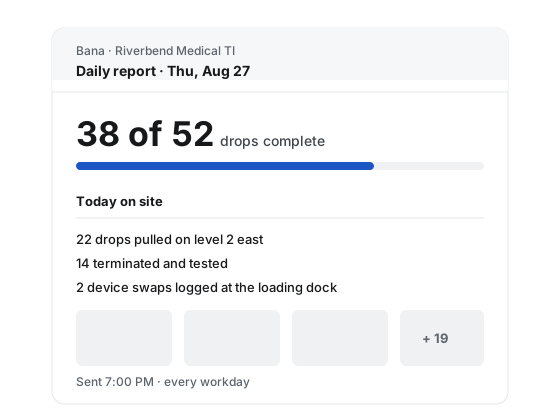
A daily report email goes out at the end of each workday with progress, photos, and the day’s summary. Your customer stops calling for updates because the update already arrived.
Built for a bad day on site
3
fields make a full report: a summary, a photo or video, and location. Nothing else is required.
7 days
is how long a report link stays open after the work date, so a missed evening is not a missed report.
2
languages on the field surface, English and Spanish, chosen once by the tech and remembered.
Questions from the field
Do my techs need to install an app?
No. Each tech gets a text with a link, and the report opens in the phone’s browser. There is nothing to install and no password to remember. The field surface works in English and Spanish.
What if a tech has no signal on site?
The written report saves as a draft on the phone, and a photo that fails to upload stays on the form with a retry button, so the tech can send it when signal returns without redoing anything. A missing or denied GPS reading is recorded as such and never blocks a report.
Is Bana tracking my crew’s phones?
No. Bana takes one GPS reading when a tech opens the report form, shows it to the tech, and sends it with the submitted report, checked against the jobsite geofence. There is no background location and no location history, and off-site flags are visible to your office only.
What happens if a tech replies STOP to a text?
That number is opted out of texts across Bana until it replies START. Nothing is blocked: the tech’s daily link falls back to email when there is an address on file, and the office sees each tech’s reachability as text, email only, or unreachable.
Get your first daily report tonight
Set up a project in minutes, text your crew their links, and the first report lands the same evening. 30 days free with no card required.